An AI Bookkeeping Assistant for Small Business: What It Should Do in 2026
A good AI bookkeeping assistant takes the repetitive work: sorting charges, spotting unsorted money, flagging missing or unbalanced statements, keeping Personal and Business apart and getting files ready for your accountant. It should propose every change for your approval, work from figures proved against your bank statements, and leave tax judgment to a professional.

Bookkeeping for a small business is mostly the same handful of chores, repeated every month: sort the charges, find the ones nobody sorted, make sure no statement is missing, keep personal spending out of the business books, and hand your accountant something clean at year end. That repetition is exactly why AI fits it so well, and exactly why the guardrails matter.
This guide splits the work into what an AI bookkeeping assistant should take on, what must stay with a human, and the safety rules worth insisting on. For the bigger picture of an assistant that acts rather than just chats, see our guide to an AI financial assistant that does the work.
What should an AI bookkeeping assistant actually do?
It should clear the repetitive, rule-based work and bring everything that needs a decision to you. Here is the work that suits AI well, and how Quill's assistant handles each part.
| Bookkeeping task | What AI can safely do | How Quill does it |
|---|---|---|
| Sorting charges into categories | Suggest a category per merchant or charge | Proposes the category; applies only when you click |
| Catching unsorted money | Find charges with no category and total them | Looks up uncategorized money and the review queue |
| Missing statements | Spot months with no statement for an account | Looks up missing statement months per account |
| Statements that do not add up | Flag a statement whose lines do not match its totals | Reports statement health, checked to the cent |
| Personal vs Business | Suggest moving charges to the right side | Proposes the move, with a count and amount |
| Repeating decisions | Turn a choice into a rule for next time | Proposes a merchant rule you approve once |
| Accountant handoff | Check what is ready and build the files | Tax-prep checklist by entity type, reports, QuickBooks export |
Notice the pattern in the right-hand column. The assistant finds things and proposes things. It does not quietly rewrite your books.
What should stay human in small business bookkeeping?
Judgment calls stay with you and your accountant, because they carry consequences an AI cannot own. A useful assistant knows where that line is and stays on its side of it.
- Tax positions. Whether an expense is deductible, how to treat a vehicle or a home office, and which elections to make are decisions for a qualified professional. Quill's assistant builds a document checklist, not tax advice, and never says what is tax-deductible.
- Unusual transactions. A loan, an owner contribution, or a refund that crosses tax years needs a person who understands the context.
- Anything involving money movement. Paying a vendor or a card balance should happen on your bank's own site, by you.
- Signing off. The final books and the return are yours and your accountant's responsibility.
Record keeping still matters too. The IRS says to keep records for 3 years in most cases, and longer in some situations, such as 4 years for employment tax records (IRS, How long should I keep records). An assistant can help you keep those records organized. It does not change what you are required to keep.
Why the numbers underneath matter more than the AI
An AI bookkeeper is only as trustworthy as the ledger it reads. General chatbots start from a blank chat: you paste or upload a file, and the totals are rebuilt from scratch every time. That is how AI ends up confidently wrong about money, a problem we unpack in why AI gets money numbers wrong.
Quill takes the opposite order. Before the assistant sees anything, each statement you download is checked against the totals your bank printed on it, to the cent. A statement that does not add up is flagged, never silently counted. The assistant then answers only from those proved figures. When the data cannot answer a question, it says "Not in your data" rather than guessing, and it never treats missing data as zero.
The guardrails to demand from any AI bookkeeper
Before you let any AI near your books, check it against these rules. They separate a helpful assistant from a risky one, and they echo the checklist in are AI agents safe with your bank account.
- Changes need your approval. Each edit should be shown before it happens, with its size in charges and dollars.
- No money movement. A bookkeeping assistant has no reason to pay, transfer or cancel anything.
- Limits on bulk edits. In Quill, a bulk change needs a filter and is capped at 500 charges, so one bad instruction cannot rewrite a whole year.
- A fixed list of actions. Quill gives the AI 44 defined actions and nothing else: look-ups that change nothing, buttons you press, and changes it can only propose.
- Statement text is data, not instructions. A merchant name or line on a statement should never be able to steer the AI. Quill treats it as data only.
- Answers you can check. When Quill's assistant finds charges, a "Show me" button opens the ledger with exactly those rows highlighted.
How to automate bookkeeping with AI, step by step
Start with clean inputs, let the AI sort, then review in batches. This is a simple monthly routine using Quill.
- Download your statements. Save each account's PDF or CSV statement into your Quill folder. No bank login is needed.
- Let Quill prove them. Each statement is checked against its printed totals. Fix or set aside anything flagged.
- Ask what is unsorted. The assistant looks up uncategorized money and the review queue, then proposes categories.
- Approve and make rules. Accept the proposals you agree with and approve a rule so the same merchant sorts itself next month.
- Check the split. With Quill Business, ask it to find business charges on the Personal side and approve the moves.
- Prepare the handoff. Open tax prep for your entity type (Schedule C, 1120-S, 1120, 1065 or 990), see what is not ready, then export a QuickBooks file, accountant PDFs or the year-end tax package.
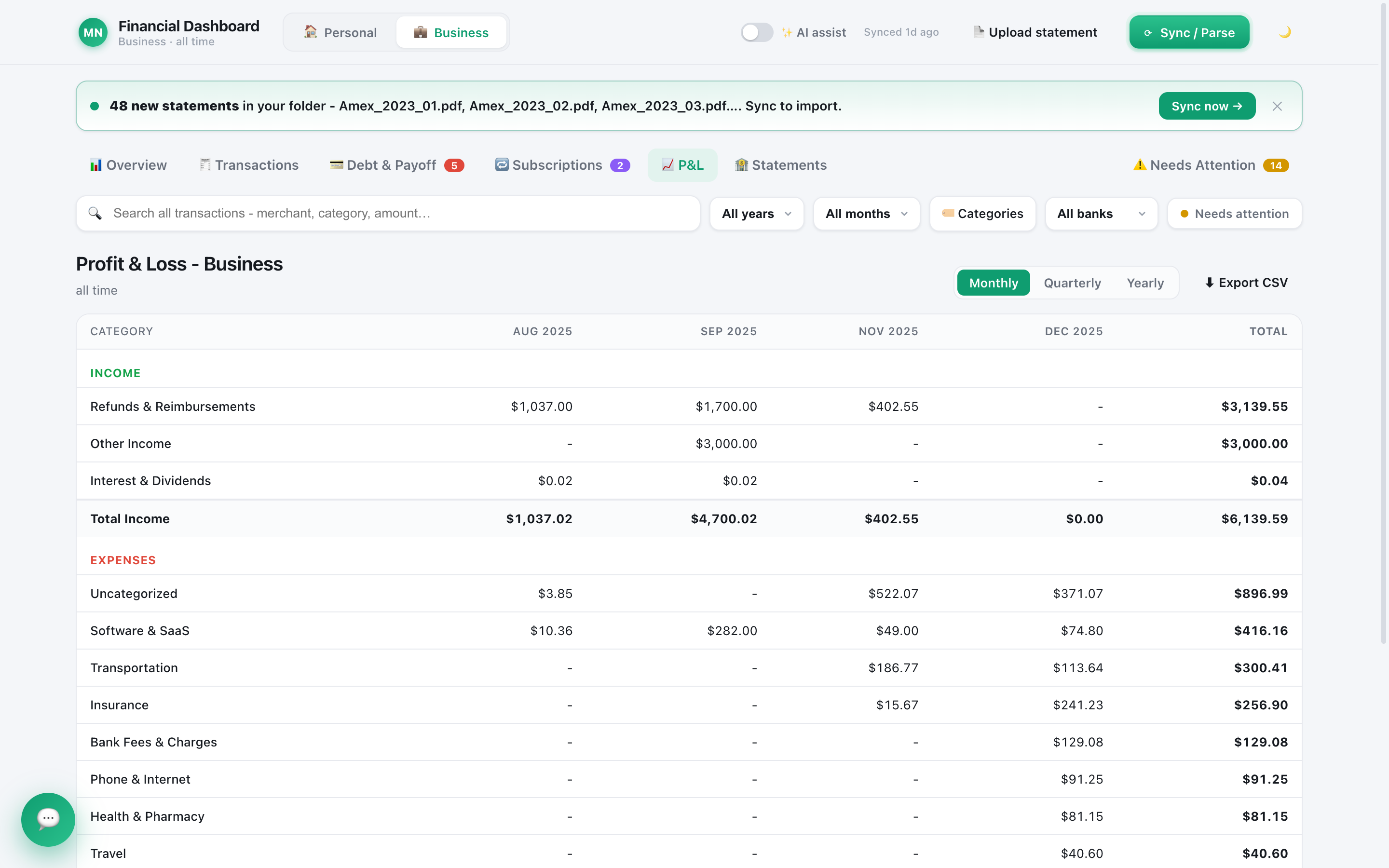
A quick note on privacy: Quill keeps your books on your computer, but the AI itself is a cloud service. When you ask the assistant something, a summary of your finances and any charges it looks up go to the AI provider you picked. You can run it on a ChatGPT or Claude plan you already pay for, as we explain in use your ChatGPT or Claude subscription to manage money.
Is an AI bookkeeping assistant worth it for a small business?
Yes, if it saves you the sorting and keeps you in control. The value is not a chatbot that talks about your books. It is an assistant that does the dull parts, shows its work, and waits for your click.
Look for verified figures, approval on every change, no access to money, and clean files for your accountant. Keep the judgment calls human. With those in place, AI for small business accounting stops being a risk to manage and becomes hours back each month.
Frequently asked questions
Can AI do my small business bookkeeping?
AI can do much of the routine work: categorizing charges, finding what is unsorted, spotting gaps and preparing reports. It should not make judgment calls or tax positions for you. Treat it as a fast assistant whose changes you approve, and keep an accountant for advice.
Is an AI bookkeeper accurate?
It is only as accurate as the numbers underneath it. A chatbot rebuilding totals from a pasted file can be confidently wrong. Quill's assistant answers only from statements already checked against the bank's printed totals, and says "Not in your data" when it cannot answer.
Will an AI bookkeeping assistant replace my accountant?
No. It can save your accountant time by handing over clean, sorted books and a document checklist. Deciding what is deductible, choosing tax positions and signing returns stays with a qualified professional.
Does Quill's AI assistant connect to my bank?
No. Quill works from PDF or CSV statements you download yourself and keeps your books on your computer. The assistant runs on an AI provider you choose, which is a cloud service, and it cannot move money or pay bills.
Let AI do the sorting, keep the final say
Quill's assistant works on statements proved to the cent, proposes changes you approve with one click, and prepares files for your accountant. One-time purchase, no subscription.
Get Quill