Local-First vs Cloud Finance Apps: A Privacy Comparison
A local first finance app keeps your transactions in a file on your own computer, so the company behind it holds no copy to leak, sell or lose. A cloud finance app stores your data on its servers, which buys multi-device sync and sharing at the price of trusting that company. Which is safer depends on what you value most.
Every finance app makes one decision before it shows you a single chart: where your transactions are stored. Either they sit in a file on your own computer, or they sit in a database the company runs. That one choice decides who can read your spending, what happens in a breach, and what happens if the company is sold or shuts down.
This guide compares the two models side by side, including where cloud apps are simply better. If you want the full case for how Quill approaches privacy, start with our guide to the most private personal finance app.
What does "local-first" mean for a finance app?
A local-first finance app keeps your data primarily on your own device, and the network is optional for everyday use. The term comes from a 2019 essay by researchers at Ink & Switch, which lists ideals such as "the network is optional", "security and privacy by default" and "you retain ultimate ownership and control" (Ink & Switch, Local-first software).
For money, that translates into three practical questions:
- Where is the master copy? On your disk, or on a company server with a copy cached on your phone?
- How does data get in? Through a bank login handed to an aggregator, or through files you download yourself?
- What still goes online? Almost every modern app makes some network calls. The honest answer lists every connection and what it carries.
A cloud finance app answers the first question differently: the master copy lives with the provider. Your phone and laptop are windows into it. That is what makes instant sync possible, and it is also what makes the provider a custodian of your financial history.
Local-first vs cloud finance apps: the side-by-side
The short answer: local-first shrinks who can reach your data, while cloud wins on convenience across devices. Here is how the two models compare on the questions that matter most for privacy.
| Question | Local-first finance app | Cloud finance app |
|---|---|---|
| Where your transactions live | A file on your computer | The company's servers (often a copy on your devices) |
| Who can technically read them | You, plus anyone with access to your unlocked computer | You, plus the provider's systems, staff with access, and its processors |
| How data gets in | Usually files you download (PDF, CSV) | Usually a bank connection through an aggregator |
| What a company breach exposes | Little or no transaction data, because the company never held it | Potentially every user's linked accounts and history at once |
| If the company is sold or closes | Your file stays on your disk | Its policies can change, and access depends on the service running |
| Multi-device and sharing | Weaker: one set of books on one machine | Stronger: phone, laptop and partner stay in sync |
| Backups | Your job (Time Machine, File History, an external drive) | Handled by the provider |
| AI features | Varies: some send data to an AI provider only when you ask | Varies: often runs on the provider's synced copy |
Neither column is "safe" or "unsafe" on its own. The difference is concentration. A cloud service pools thousands of people's financial lives in one place, which makes it a far more valuable target than any single laptop. A local-first app spreads that risk back to each user, which also means each user carries their own share of it.
Is a local first finance app actually more private?
Yes, on the risks the company controls, because a company cannot leak, sell or lose data it never receives. That is the core of the argument, and it is worth being precise about what it does and does not cover.
What local-first removes:
- The central honeypot. There is no shared database of every customer's balances and merchants to breach.
- The bank login. Most local tools work from statements you download, so no aggregator holds a standing connection to your accounts. We cover that trade in detail in should you connect your bank to a budgeting app.
- Quiet monetization. A company that never receives your transactions has nothing to analyze or share. If you are weighing a cloud tool, our checklist on whether budgeting apps sell your data shows what to look for in a privacy policy.
What local-first does not remove:
- Your own device risk. A stolen, shared or infected computer can expose the file. Turn on full-disk encryption and use a strong login password.
- Backup discipline. If the disk dies and you have no backup, the cloud would have saved you.
- Every online feature. Licence checks, updates and AI all touch the network. Ask what each one sends.
Where do cloud finance apps genuinely win?
Cloud apps win whenever more than one device or person needs the same numbers at the same moment. It is a real advantage, and pretending otherwise would not help you choose.
- Phone access. Checking a balance in a store is easy when the data is synced from a server.
- Couples and households. Two people editing one shared budget is natural in the cloud and awkward with a single file.
- Automatic transaction feeds. An aggregator pulls new charges daily without you downloading anything.
- Zero backup effort. The provider keeps copies for you.
If those matter more to you than who holds your history, a well-run cloud service with a clear privacy policy is a reasonable choice. If you would rather spend five minutes a month downloading statements in exchange for keeping your books to yourself, local-first fits better.
How does Quill handle each row of the table?
Quill is a desktop app for Mac and Windows that follows the local-first model, with its online connections listed plainly. Here is where it lands on each question.
- Where data lives: your transactions sit in a file on your own computer. There is no Quill account and no sign-up.
- How data gets in: you download PDF or CSV statements from your bank and drop them in a folder. Quill never asks for your online banking password and uses no Plaid or other aggregator.
- Proof, not just storage: each statement is checked against the totals your bank printed on it, to the cent. One that does not add up is flagged, never silently counted.
- What goes online: a licence check with our payment provider about once a day, an update check at launch, and an email only if you use the password reset. None of these carry transaction, balance, merchant or statement data. There is no analytics or crash reporting inside the app.
- AI: optional and cloud-based. Nothing goes to an AI until you ask the assistant something or press an AI button, and then only to the provider you picked. Your PDF statement files are never uploaded anywhere.
- Device security: separate password-protected libraries per person, auto-lock after 15 minutes idle, and a check in Settings that shows whether FileVault or BitLocker is on. Quill relies on that disk encryption rather than encrypting its own database file.
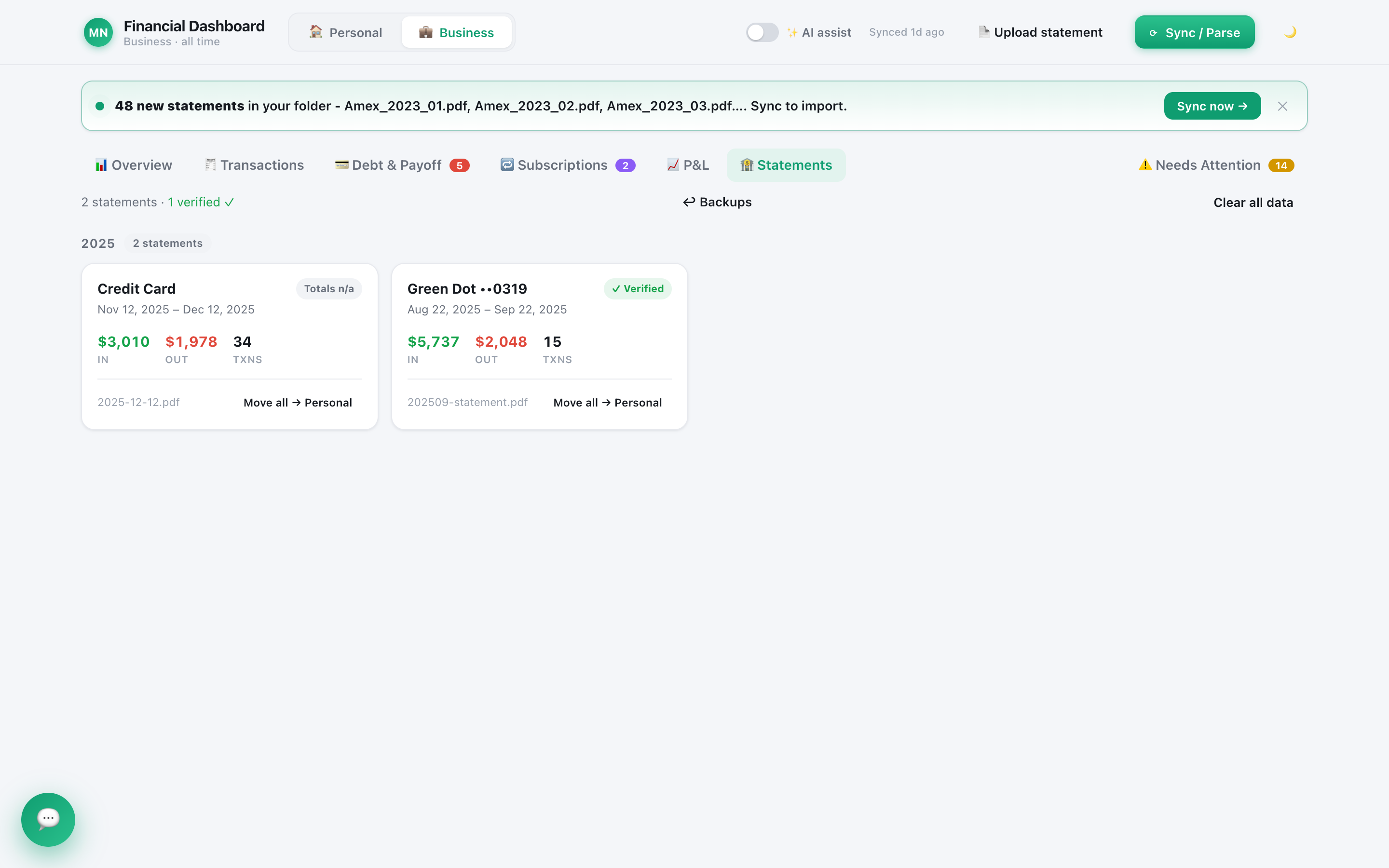
The trade-off is the one in the table: Quill keeps one set of books on one computer, and keeping a backup of that computer is up to you.
How to choose between local and cloud budgeting software
Pick based on which risk you would rather manage yourself. These four steps make the decision concrete.
- List who needs access. Just you on one computer points to local. A partner on two phones points to cloud.
- Decide how you feel about a bank login. If handing your banking password to an aggregator bothers you, look for a tool that works from statements, such as a budgeting app without Plaid.
- Read the network list. For any "offline" or "local" app, find out exactly what it sends online and when. Vague answers are a warning sign.
- Secure your side. If you go local, turn on disk encryption and set up automatic backups the same day.
Local-first is not magic, and cloud is not reckless. They put the responsibility in different places. If you want your financial history to stay with you rather than with a company, a local-first finance app is the model built for that.
Frequently asked questions
What is a local-first finance app?
It is budgeting or bookkeeping software that keeps your financial data primarily on your own device instead of on the company's servers. The app works without a constant connection, and you own the file. Quill is one: your books live on your computer, not on our servers.
Is a local finance app more secure than a cloud one?
It removes one big risk: there is no central database of every user's money for an attacker to target. It does not remove every risk. A stolen or infected computer is still a threat, so turn on disk encryption (FileVault or BitLocker) and keep your own backups.
Does an offline finance app ever go online?
Usually not, and you should check. Quill, for example, checks its licence key about once a day and looks for app updates at launch, and the optional AI assistant is a cloud service. None of the licence or update checks carry transaction, balance or statement data.
Can I use a local-first finance app on several devices?
This is where cloud apps genuinely win. A cloud service syncs your budget to your phone and partner automatically. A local-first app keeps one set of books on one computer, so pick it if privacy matters more to you than checking balances from your phone.
Keep your books on your own computer
Quill reads the PDF statements you download, proves each one adds up to the cent, and keeps the results in a file on your computer. No bank login, no account, one-time purchase.
Get Quill